


+86-13826948503 (Bella)
+86-18145725878 (Carven)


Yes, coaxial cables can get worse as time passes. You may see problems because of weather, damage, or old age. Water getting inside causes about 19% of early cable failures. Bad installation leads to almost 40% of cable problems. Loose connectors also cause many signal troubles. Checking your cables often and taking care of them helps stop these issues. If you see your signal drop or get fuzzy, look at your coaxial cable for damage.
| Cause of Deterioration | Impact/Description |
|---|---|
| Water ingress | Causes about 19% of cables to fail early. |
| Impedance mismatch | Makes signals bounce back and causes problems. |
| Loose connector fittings | Causes 28% of signal trouble because of impedance mismatch. |
| Signal interference | Makes network work 15-20% worse. |
| Poor installation practices | Causes about 40% of cable problems. |
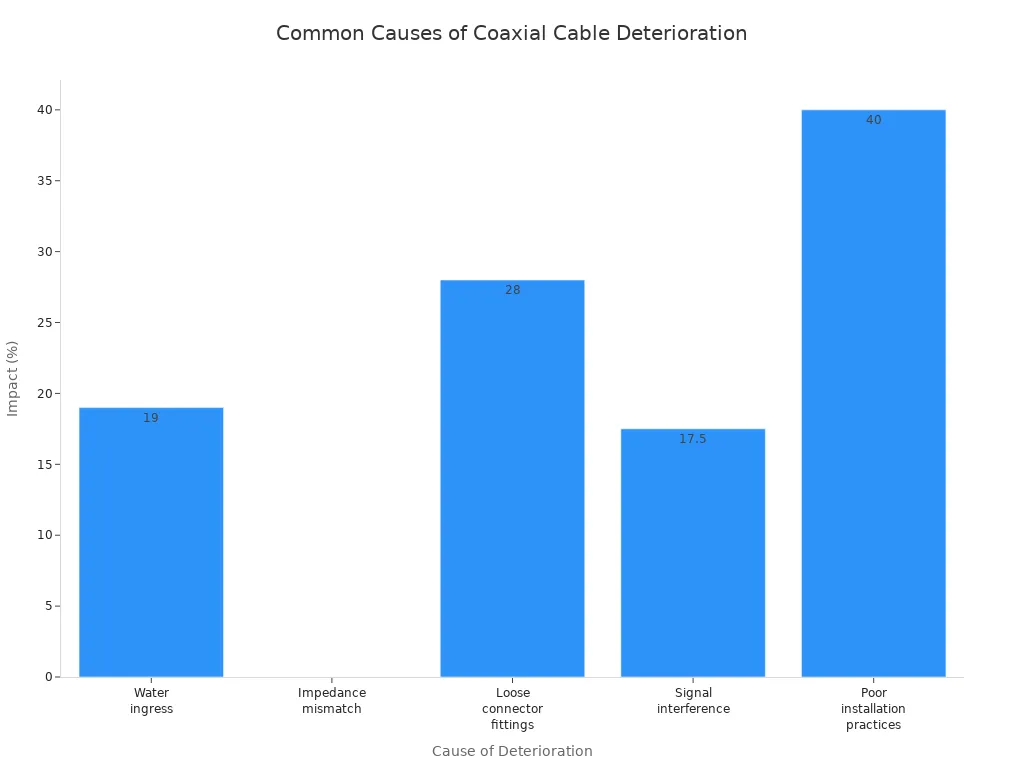
Coaxial cables can get worse from weather, damage, and age. Checking cables often helps find problems early.
Water getting inside and bad installation can make cables fail. Seal the connectors and install them right to stop problems.
Signals can get weaker from long cables and loose connectors. Use shorter and thicker cables to keep signals strong.
If you see cracks or rust, you should replace the cable. Always look for rust and change cables that are damaged fast.
Good installation and regular care help cables last longer. Use good materials and keep cables safe from things like weather.
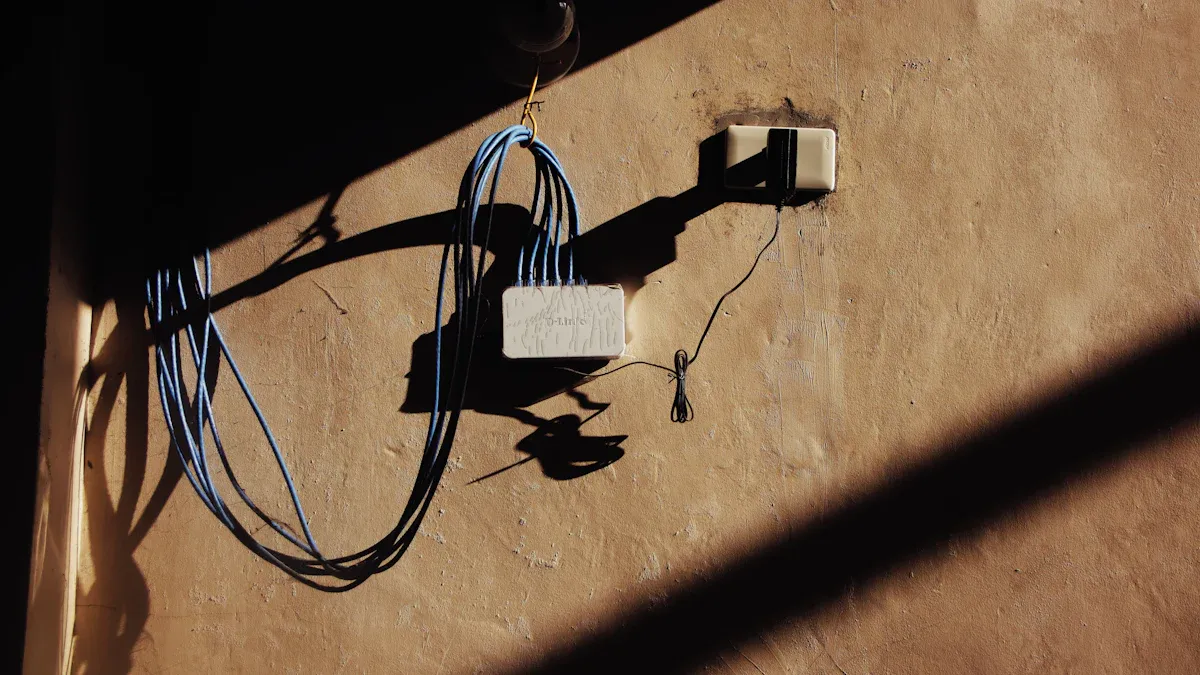
When you use coax outside, the weather can hurt it. Sunlight, heat, cold, rain, snow, and wind all damage the cable’s jacket. Over time, the inside insulation gets hard and breaks easily. The sun’s UV rays make cracks and holes in the jacket. These holes let water get inside the cable. Water makes the cable weak and messes up the signal. Cables with PVC jackets break down faster. Jackets made from high molecular weight polythene last longer and fight bad weather better. The copper inside can rust and break down, which makes the signal worse.
Sunlight and UV rays make cracks in the jacket.
Heat and cold make the insulation hard and easy to break.
Rain and snow let water in, which causes rust.
Wind moves cables and rubs spots, making them wear out.
Physical damage happens when you bend or crush the cable. If you step on it, close it in a door, or roll over it, you make dents. Dents mess up the signal and cause problems. Rough handling and accidents also break the cable. Too much bending or squeezing can crack or break it. Connectors can get loose or rusty, which stops the signal.
Bending or crushing causes mechanical damage.
Dents happen when you step or roll over cables.
Connectors get damaged from rough use.
Stress from walking or bad setup hurts the cable.
Tip: Be gentle with your coax and do not bend it sharply. This helps stop damage.
Coaxial cables get old as time goes by. Good cables last 5-10 years outside. For important jobs, change cables every 3-5 years to keep signals strong. Some cables last up to 15 years before they lose signal. As cables age, the insulation gets weak and does not protect well. Dielectric loss gets worse at higher frequencies, so signals get weaker. The skin effect makes high-frequency signals travel near the surface. This raises resistance and heat. More signal is lost and performance drops.
Cables last 5-10 years outside; some last 15 years.
Insulation gets weak and signals drop.
Dielectric loss and skin effect get worse with age.
Water and chemicals make coax break down faster. Water changes how the cable works and causes signal problems. When water gets inside, it rusts the braid and raises resistance. Water in the insulation heats up and breaks down the cable more. You may see the signal get weaker and resistance go up. Chemicals in the air or ground attack the jacket and connectors.
| Evidence Description | Source |
|---|---|
| The shield of coaxial cables can soak up water, which hurts performance. | The Low Down on Coaxial Cable and Connectors |
Water changes how the cable works and causes signal problems.
Water rusts the braid and raises resistance.
Chemicals hurt the jacket and connectors.
Rust comes in from open ends and shows green copper.
Note: Seal cable ends and connectors to keep water out. This slows down damage.
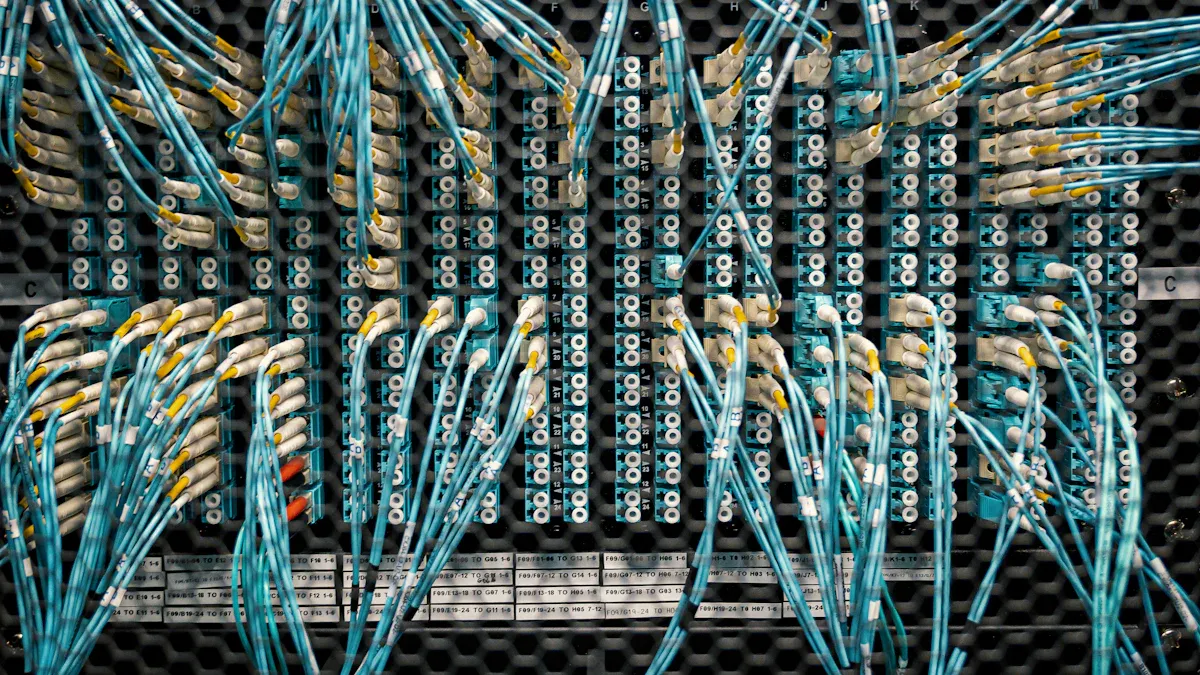
When you use coax cables, you want clear signals. If your coax starts to go bad, you will see warning signs. You can find these problems early and fix them before your network stops working.
Signal degradation means your coax does not send signals well. You might see blurry TV pictures or slow internet. Signal loss happens when energy turns into heat or the cable is too long. Longer coax cables lose more signal because resistance goes up. The insulation inside the cable also causes loss, especially with high frequencies. Thin cables or long runs can make your signal worse.
Longer coax cables lose more signal.
Resistance in the cable causes energy loss.
Dielectric loss gets worse with higher frequencies.
Insertion loss and return loss make signals weaker.
Thick cables lose less signal than thin ones.
Connectors and mismatch loss also lower performance.
If your signal drops or gets fuzzy, check your coax for these problems. Signal loss is a common issue with coaxial cables. You should test your signal if you think it is getting worse.
Tip: Use shorter coax cables and thicker ones to keep your signal strong.
You can often see damage and corrosion on your coax. Look at the cable and connectors closely. If you see cracks, cuts, or frayed edges, your cable may not work well. Color changes around connectors show corrosion. Rust or green stains mean water got inside. Melted insulation or exposed copper also show serious damage.
Color changes around connectors mean corrosion.
Rust or green stains show water damage.
Cracks, cuts, or frayed edges mean the cable is damaged.
Exposed copper core shows physical damage.
Bad fraying or melted insulation near connectors means corrosion.
Corrosion around connectors is a big sign of damage.
Loose connectors cause problems too. Studies show over 25% of indoor coax connectors and more than 6% of outdoor connectors are loose. Loose connectors cause signal loss and bad picture quality. You should tighten connectors and replace any that are rusty or damaged.
Note: Always look for corrosion and damage when you check your coax. Replace cables with visible corrosion to stop bad performance.
Connectivity problems and interference can hurt your coax network. Bad connections cause high loss and weak signals. You might hear noise, static, or lose connections. As coax gets older, the copper and cover break down. Cracks let outside signals in, causing interference. Electromagnetic interference comes from nearby electrical things. Radio frequency interference happens when wireless devices or transmitters are close to your coax. Crosstalk happens when signals from other cables mix with yours.
Electromagnetic interference from electrical things hurts your signal.
Radio frequency interference from transmitters or microwaves causes loss.
Crosstalk from other cables makes your signal worse.
Impedance mismatch causes signal reflections and loss.
Grounding problems bring noise and loss to your coax network.
Bad connections cause high ingress and egress, more insertion loss, and weak signals. You might get slow internet, blurry TV, or lose connections. Keeping connectors and cables in good shape helps stop these problems.
Alert: If you see interference or bad performance, check your coax for cracks, rust, and loose connectors. Fixing these problems can bring back your signal and stop more loss.
You can keep your coax network working well by watching for these signs of damage. Regular checks help you find rust, damage, and loss before they cause big problems.
You should inspect your coax cable often to catch problems early. Start by looking at the cable jacket for cracks, cuts, or frayed spots. Check for kinks or bends that might weaken the cable. Make sure connectors are tight and sealed to keep water out. If you see rust or green stains near the ends, water may have gotten inside. Clean the connectors with a soft cloth. Avoid harsh chemicals that can damage the cable jacket. Store extra coax in an anti-static bag to protect it.
Steps for inspecting your coax cable:
Look for visible damage on the cable jacket.
Check connectors for tightness and signs of rust.
Find any bends or kinks along the coax.
Clean connections gently.
Seal connectors to block moisture.
Replace damaged coax right away.
Tip: Regular inspection helps you spot trouble before it affects your signal.
Testing the signal in your coax cable helps you know if it works well. You can use special tools to check the signal. The Hitron DSS01 Coax Cable Tester gives quick results. Press one button and see a green light for a good signal or a red light for no signal. Professional installers trust this tool. The Channel Master Coax Cable Tester checks for shorts, open circuits, and continuity. These testers help you find problems fast.
Hitron DSS01 Coax Cable Tester: Fast, accurate, and easy to use.
Channel Master Coax Cable Tester: Finds shorts and open circuits.
Both testers help you troubleshoot coax issues.
Note: Testing your coax often keeps your network strong and reliable.
You should replace your coax cable if you see certain signs. If your TV shows "no signal," the coax may be bad. If your internet drops often, test each coax outlet to find the problem. Use a coax cable tester to check for damage. If you find cracks in the cable jacket, rust, or loose connectors, replace the coax right away. New cables cost more, but ongoing repairs add up over time.
| Installation Type | Average Cost |
|---|---|
| New outlet | $150 – $485 |
| Outlet replacement | Around $60 |
| Running cable | $60 – $150 |
Alert: Replacing old or damaged coax saves you money and keeps your signal strong.
You keep your coaxial cables working well by inspecting, testing, and replacing them when needed. Watch for damage to the cable jacket, test your signal, and act quickly if you see problems.
You can make your coax cable last longer if you install it right. First, strip the outer jacket slowly and trim the inside wire. Use a compression tool to connect the cable tightly. Pick good connectors because they protect your signal better. Do not bend your coax cable sharply. Make gentle curves so the cable does not get hurt. This helps your coaxial cables work well for a long time.
| Practice | Description |
|---|---|
| Proper Installation Techniques | Strip the outer jacket, trim the inner conductor, and use a compression tool for secure connections. |
| Use Quality Connectors | Invest in high-quality connectors to avoid damage and ensure longevity. |
| Avoid Sharp Bends | Route cables with gentle curves to prevent damage and performance loss. |
Tip: Check connectors often and clean them to stop signal problems.
Check your coax cable often so you find problems early. Look for cracks, rust, or loose connectors. Clean connectors to get rid of dust and dirt. Use strong coax cable so it lasts longer. Do not bend or pull your coax too much. Inspect your cables on a schedule to keep your network strong. If you see damage, fix it fast so it does not get worse.
Look for cracks, rust, or other damage.
Clean connectors to help your signal.
Fix damage as soon as you see it.
Use strong cables for better protection.
Do not bend or pull cables too much.
Note: Taking care of your coax cable stops signal loss and helps it last longer.
Keep your coax cable safe from water, sun, and hot or cold weather. Water can cause rust and break the insulation. Sunlight makes the jacket crack. Hot and cold weather can make cables weak and easy to break. Use covers and boxes to protect outdoor coax. Insulation and coatings help fight fire, water, and chemicals. Put cables where they will not get hurt by the weather.
Use covers and boxes for outdoor coax.
Add insulation and coatings to stop water and chemicals.
Put cables away from sunlight and heat.
Alert: Keeping your coax cable dry and out of the sun helps it last longer.
If you follow these tips, your coaxial cables will work well. Good installation, regular care, and protection from bad weather help your coax cable last longer and work better.
You can keep coaxial cables working well if you check them often. Replace cables when you see problems. Bad weather, old age, and damage make coax lose signal. Taking care of your cables helps them last longer. The table below shows what studies found about keeping coax strong:
| Key Takeaway | Description |
|---|---|
| Mechanisms of Stability Under Flexure | Coaxial cables stay stable by bending without breaking, spreading out stress, and fighting wear. |
| Factors Affecting Long-Term Stability | Weather, stress, and chemicals can change how cables work. |
| Best Practices for Maintenance | Picking the right cable, installing it well, and checking it often help it last longer. |
| Future Developments | New materials and ways to make cables will make them even stronger. |
You can stop service problems if you know when to change your coax. Protect cables from bad weather and rough use. Simple steps help you keep your connections working well.
Check your coax cables every six months. Look for cracks or rust on the cable. Make sure connectors are not loose. Regular checks help you find problems early. This stops signal loss and keeps your network strong. If you find trouble early, replacing the cable is easier.
You might see fuzzy TV or slow internet. Sometimes, your devices disconnect a lot. If you see rust or green stains, the cable is damaged. Visible cracks or other damage mean you need a new cable. Plan to replace your coax cable if you notice these signs.
You can fix small problems like loose connectors. If you see cracks or rust, you need a new cable. Water damage means you should replace the cable. Using a good replacement cable brings back your signal. It also helps stop future problems.
Rain, snow, and sunlight can hurt coax cables. Water causes rust and makes the jacket weak. Sunlight cracks the cover and lets water in. Replacing outdoor coax cables helps you avoid signal loss. This keeps your system working well.
Pick a cable with strong insulation and good connectors. Choose cables made for outdoor use if needed. A high-quality cable lasts longer and protects your signal. Always match the cable type to your device.
Tip: Check the cable length and connector type before you buy a new coax cable.
