


+86-13826948503 (Bella)
+86-18145725878 (Carven)

Author: Site Editor Publish Time: 2025-11-05 Origin: Site

You can check a coaxial cable fast with a multimeter or a continuity tester. Many problems happen because of mistakes when setting it up or from damage.
Around 40% of problems are from setup errors.
Almost 34% are from damage to the cable.
Testing is easy and safe, even if you have never done it before.
Use a multimeter or continuity tester to check your coaxial cable fast. This helps you find breaks or shorts with ease.
Look at your cable before you test it. Check for cracks, loose shielding, or damage you can see. This keeps you safe.
Test your coaxial cable every six months. Finding problems early keeps your signal strong. It stops bigger problems from happening.
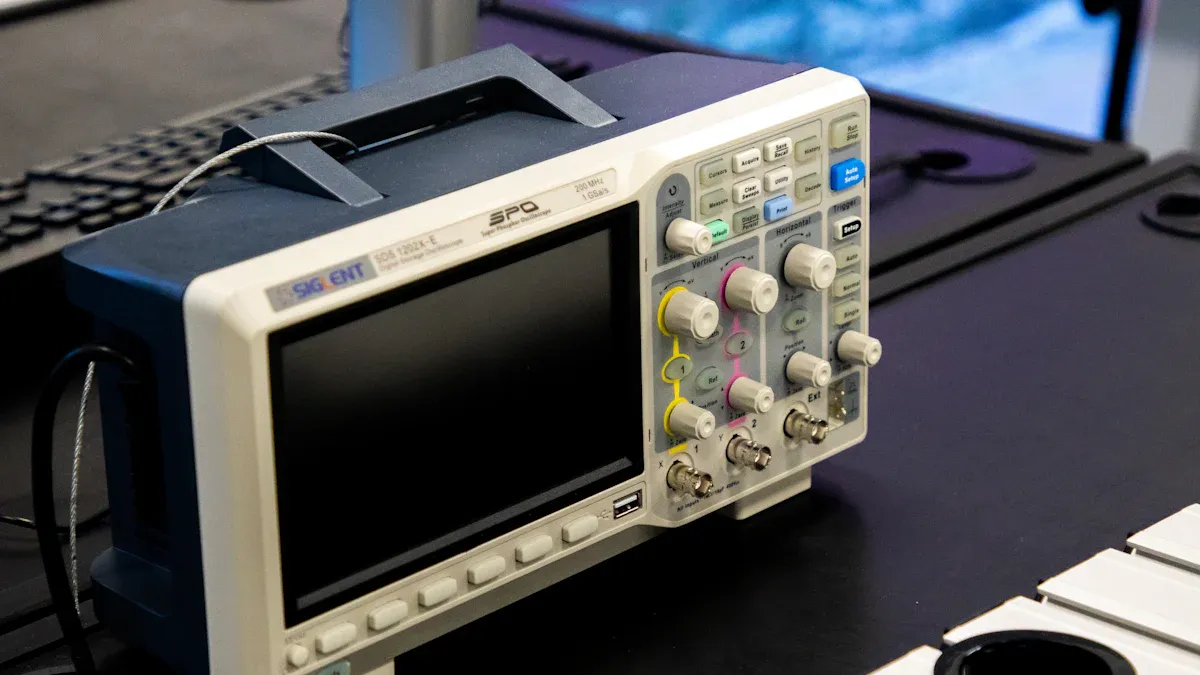
You need the right tools before you test cb antenna coax or other coaxial cables. Each tool helps you find different problems. Let’s see what you might use.
A multimeter is useful for checking if your cable works. It can measure voltage, resistance, and continuity. You can use it to find breaks or shorts in cb antenna coax. Many people use digital multimeters like the Mastech model. These can trace wires and check continuity. You touch the probes to each end of the cable and look at the screen.
A continuity tester checks if electricity moves through the cable. If it lights up or beeps, your cable is working. Some testers, like the ASKA COM 8-Way Coax Cable Tester, can test many cables at once. They may have tone generators built in. These testers help you find problems fast, especially when there are lots of cables.
Tip: Continuity testers are good for finding open or short circuits in coaxial cables.
Signal testers show how well your cable carries signals. You might use a DSX CableAnalyzer with DSX-COAX adapters. These testers check cables up to 1002 MHz. They can find impedance problems over 15%. If you want to check your cable for TV or internet, a signal tester gives clear results.
| Tool Name | Description |
|---|---|
| DSX-CHA003 Coax Adapter | Tests RG6 and RG11 coaxial cables to TIA insertion loss limits. |
| VDV II Series Coax Testers | Checks copper cable health in many places. |
A tone generator sends a sound through the cable. You use a probe to listen for the sound and find the right wire. This helps when there are lots of cables. Kits like IntelliTone Pro make tracing wires easy for anyone. Tone generators also help you check continuity and find problems quickly.
Tone generators help you find cables in messy wiring.
They send a sound that a probe can follow, making tracing easy.
These tools are common in telecom and networking work.
You can use extra accessories like terminators and barrels to set up tests or connect cables. You do not need expensive brands. Just make sure your accessories fit your cable type.
Start with a simple look at your coaxial cable. You can spot many problems just by checking the outside. Here’s how you do it:
Look at the insulation and outer layer. Search for cracks, peeling, or any damage.
Check the aluminum foil and braided mesh. Make sure they are tight and not loose or broken.
Feel the outer sheath. It should be snug and not letting air in. If it feels loose, the cable might let in moisture or dust.
Tip: If you see any cuts or kinks, you should replace the cable before you try other tests.
You need to check for continuity to see if your cable works from end to end. Grab your multimeter and follow these steps:
Get your tools ready. You need a multimeter, a coaxial cable stripper, and the cable you want to test.
Inspect the cable again for any visible damage.
Turn on your multimeter. Set it to the continuity or resistance (ohms) mode.
Touch one probe to the center conductor at one end. Touch the other probe to the center conductor at the other end.
If the reading is close to zero, your cable has good continuity. If you see a high number or infinity, the cable is broken.
Repeat the test for the outer shield. You want both the center and shield to show good continuity.
When you test coax end-to-end, you should see no resistance between the center conductor and the shield. A reading of 0 Ohms or less than 1 Ohm means the cable is good. If you see 600,000 Ohms or more, the cable has an open circuit.
Note: Always check for continuity in both the center conductor and the shield. This helps you find hidden breaks.
Sometimes you need to know if your coaxial cable carries signals well. You can use a signal tester or a power meter. Here’s a simple way to do it:
| Method | Description |
|---|---|
| Insertion Loss Measurement | Build two circuits. One has the cable under test, the other does not. Use a power meter and signal source to see how much signal is lost. You can test at one frequency or many. |
If you want to get more advanced, you can use a VNA (Vector Network Analyzer):
Connect one end of the cable to the VNA for a reflection test.
Leave the other end open or shorted.
For a transmission test, connect both ends to the VNA.
Here’s a quick look at normal signal loss for standard cables:
| Distance (feet) | Signal Loss (dB) |
|---|---|
| 17 | 0.65 |
| 200 | 3.8 |
Tip: If your signal loss is much higher than these numbers, your cable may have damage or moisture inside.
A tone generator helps you trace cables and find problems. You can use it when you have lots of cables and need to find the right one.
Disconnect antennas and coax from service before you start.
Begin at the base of the cable. Make sure there are no splitters or combiners in the way.
Use the probe to listen for the tone. If you hear it at the other end, your cable is good.
The type of antenna can change how well this works, so keep that in mind.
Note: Always disconnect your cable from any devices before you use a tone generator.
You want to stay safe while testing. Here are some easy rules:
Handle cables gently. Don’t twist, pinch, or bend them too much.
Store cables in a dry, dust-free place. This keeps them from getting damaged by water or dirt.
Follow the minimum bend radius. Sharp bends can break the cable inside.
Keep cables away from rain and don’t leave them outside for long.
Avoid high heat. Hot plastics can give off bad fumes.
Watch out for moisture. Water inside the cable can cause signal loss and corrosion.
Sunlight can damage the cable jacket over time. Try to keep cables out of direct sunlight.
Tip: Environmental factors like temperature and humidity can change your test results. If you see strange readings, check if the cable is wet or exposed to heat.
Now you know how to check for continuity, test coax end-to-end, and keep your coaxial cable safe. These steps help you find problems fast and keep your signal strong.
When you finish testing your coaxial cable, you want to know if it’s working or not. Let’s break down what your test results mean:
| Test Result | Properly Functioning Cable | Faulty Cable |
|---|---|---|
| Continuity | Close to zero | High or infinity |
| Signal Strength | Strong signal | Weak or no signal |
A reading close to zero means you have good continuity. This shows the electricity flows from one end to the other without a problem.
If you see a high number or infinity, the cable has a break somewhere. That’s a bad connection.
If your tester shows continuity but with high resistance, you might have a short inside the cable.
You can also measure signal strength with a signal tester. A strong signal means the cable is doing its job. If you get a weak or no signal, the cable may have damage or poor connections.
Tip: Always check both the center conductor and the shield. Both need to show a good connection for the cable to work right.
You might run into a few common problems when working with micro coaxial cable. Here’s a quick look at what can go wrong and how you can fix it:
| Issue | Cause | Solution |
|---|---|---|
| Signal Loss and Poor Picture Quality | Long cable runs, improper installation, or using the wrong type of cable | Use RG6 for longer distances; consider reducing cable length or switching to a suitable cable. |
| Interference from External Sources | External electronic devices, poor cable shielding, or damaged insulation | Ensure proper shielding; upgrade to RG6 with enhanced shielding if in a high-interference area. |
| Physical Damage to the Cable | Rough handling, poor installation practices, or old cables | Inspect for visible damage; replace if necessary and avoid sharp bends during installation. |
| Loose or Corroded Connectors | Loose or corroded connectors, improper connection | Check and tighten connectors; clean or replace corroded parts. |
| Incorrect Cable Type for the Job | Using RG59 where RG6 is required (or vice versa) | Use the correct cable type for the application; RG6 for long distances, RG59 for shorter ones. |
If you notice signal loss or your TV picture looks fuzzy, you might have one of these problems. Sometimes, the integrity of the cable gets damaged by bending, stepping on it, or letting water get inside. Even a small cut can cause big trouble.
Here’s a simple troubleshooting checklist to help you fix most issues:
Check cable connections at both ends. Make sure they are tight and secure.
Look for visible damage like cuts, kinks, or sharp bends.
Move away any electronic devices that might cause interference, or use a cable with better shielding.
Make sure your equipment works with your cable.
Use a signal strength meter to measure signal strength and adjust if needed.
Inspect connectors for rust or damage. Replace them if you see problems.
Avoid sharp bends and use clips to keep the cable in place.
Note: If you find a bad connection or see corrosion, fix it right away. This can save you from bigger problems later.
Sometimes, no matter what you do, the coaxial cable just won’t work right. Here’s when you should think about replacing it:
The cable shows signs of insulation breaking down or feels brittle.
You see cracks, splits, or water damage on the outside.
The connectors look rusty, loose, or broken.
The cable has been exposed to harsh weather or sunlight for a long time.
You find the cable in sections or with lots of splices.
Coaxial cables can last for years if you take care of them. Heat, water, and rough handling can shorten their life. If you see any of these warning signs, it’s best to get a new cable. Always use the right type for your job. For long runs, pick RG6. For short runs, RG59 works fine.
Tip: Try to keep your cable in one piece. Too many splices can weaken the signal and cause trouble.
If you follow these steps, you’ll keep your coaxial cable working and your signal strong. A good connection means fewer headaches and better performance for your TV or internet.
You can check cables with these simple steps:
Measure DC resistance and signal loss.
Use a tester to spot breaks or shorts.
Look for physical damage and poor connections.
If your cable fails, try these fixes:
Inspect for cuts or kinks.
Replace old or worn cables.
Move electronics to reduce interference.
Regular testing helps you catch problems early and keeps your signal strong.
You should check your cable every six months. If you notice signal problems, test it right away.
Tip: Regular checks help you catch issues before they get worse.
Yes, you can use a continuity tester or a tone generator.
These tools also show if your cable works.
You do not need special skills.
A high resistance reading means your cable has a break or damage.
If you see this, replace the cable to fix your signal.
